Building Your First Collection

A collection is a short list of products you recommend, grouped around one need, that you can feature on your storefront homepage. To build your first one, pick five to ten products you suggest every week, group them by service, season or pet type, give the group a name your clients would use, add a cover photo, and feature it.
This is part 2 of our storefront basics series. Part 1 covers how to personalize your pet storefront with your logo, banner and colors.
A short list makes it easier for clients to choose
Your storefront opens with the full catalog: more than 200 brands and thousands of products, shipped by the brands straight to your clients (how direct-ship works). That range helps the client who searches for something specific. A collection answers the question your client asked you at drop-off.
Short lists also make choosing easier. In a well-known study by Sheena Iyengar and Mark Lepper, 30% of shoppers who saw a display of 6 jams bought one, compared with 3% of shoppers who saw 24 (Journal of Personality and Social Psychology, 2000).
Start with the products you recommend out loud
Write down the five to ten products you mention most in a normal week: the shampoo you use on the table, the harness you fit in class, the chew you suggest for a teething puppy. These are the items clients ask you to repeat, spell, or text them later.
If a brand you recommend is missing, email the ShopDot team. They contact the brand, and an introduction from you can speed that up.
Group products the way clients ask for help
Most pet pros start with one of three groupings.
| Group by | Example collection | Works well for |
|---|---|---|
| Service | "After Your Groom" — brush, detangler, paw balm | Groomers |
| Season | "Winter Walk Kit" — coat, boots, reflective leash | Walkers and sitters |
| Pet type or life stage | "New Puppy Starter List" — crate mat, chews, training treats | Trainers and daycares |
More ideas came up at ShopDot Live: a collection per training class, staff favorites, and Elsy's "Back to Pet Ownership" for clients returning after a break.
Name the collection the way your clients talk
In your portal, open Collections and select Create collection. Every collection you build lists here, with its status and product count.
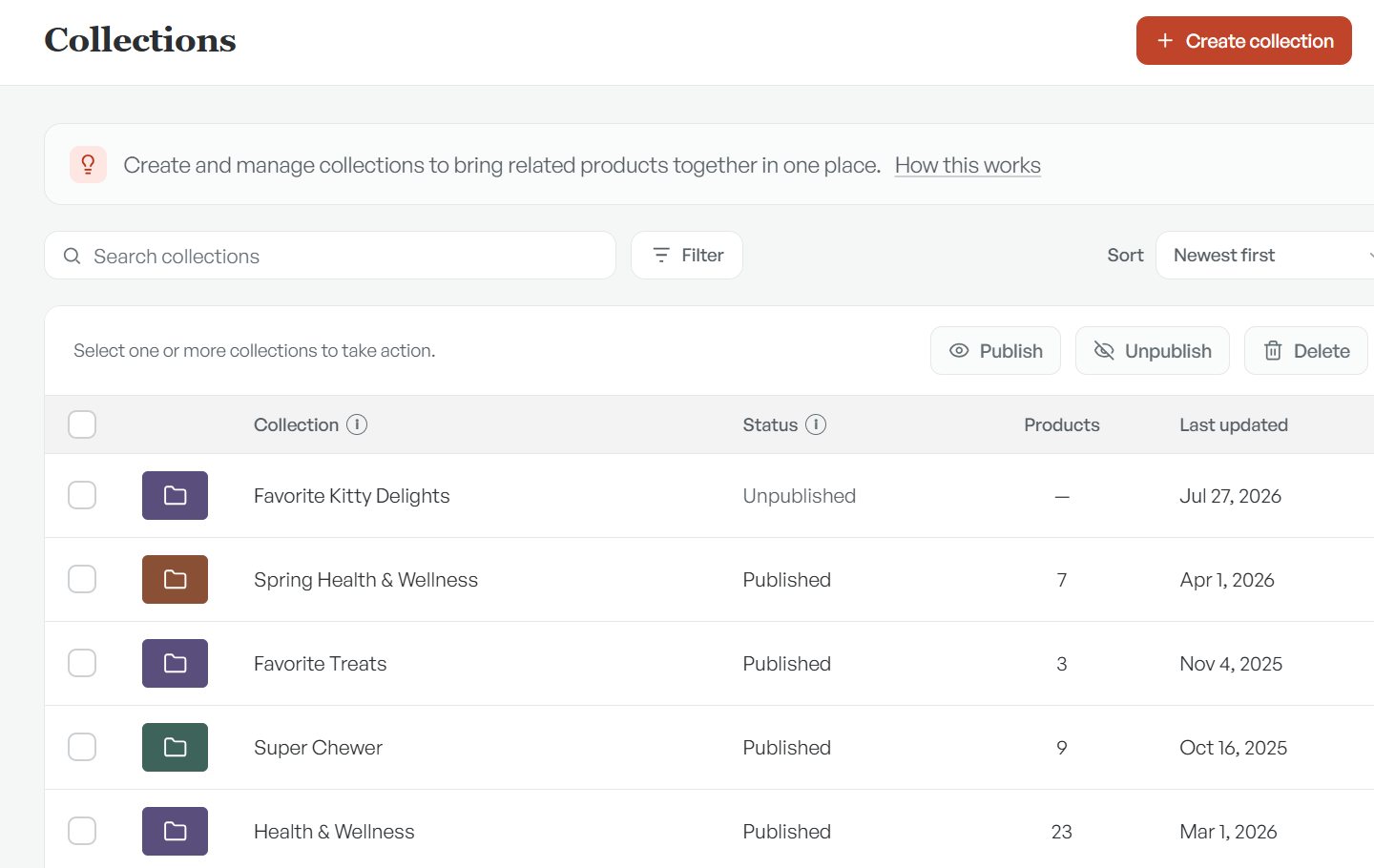
Name it for what the client is trying to do. "Puppy Class Level 1 Supplies" tells a new client exactly why they're looking at it. Names can run to 60 characters, and a shorter one reads better on a phone.
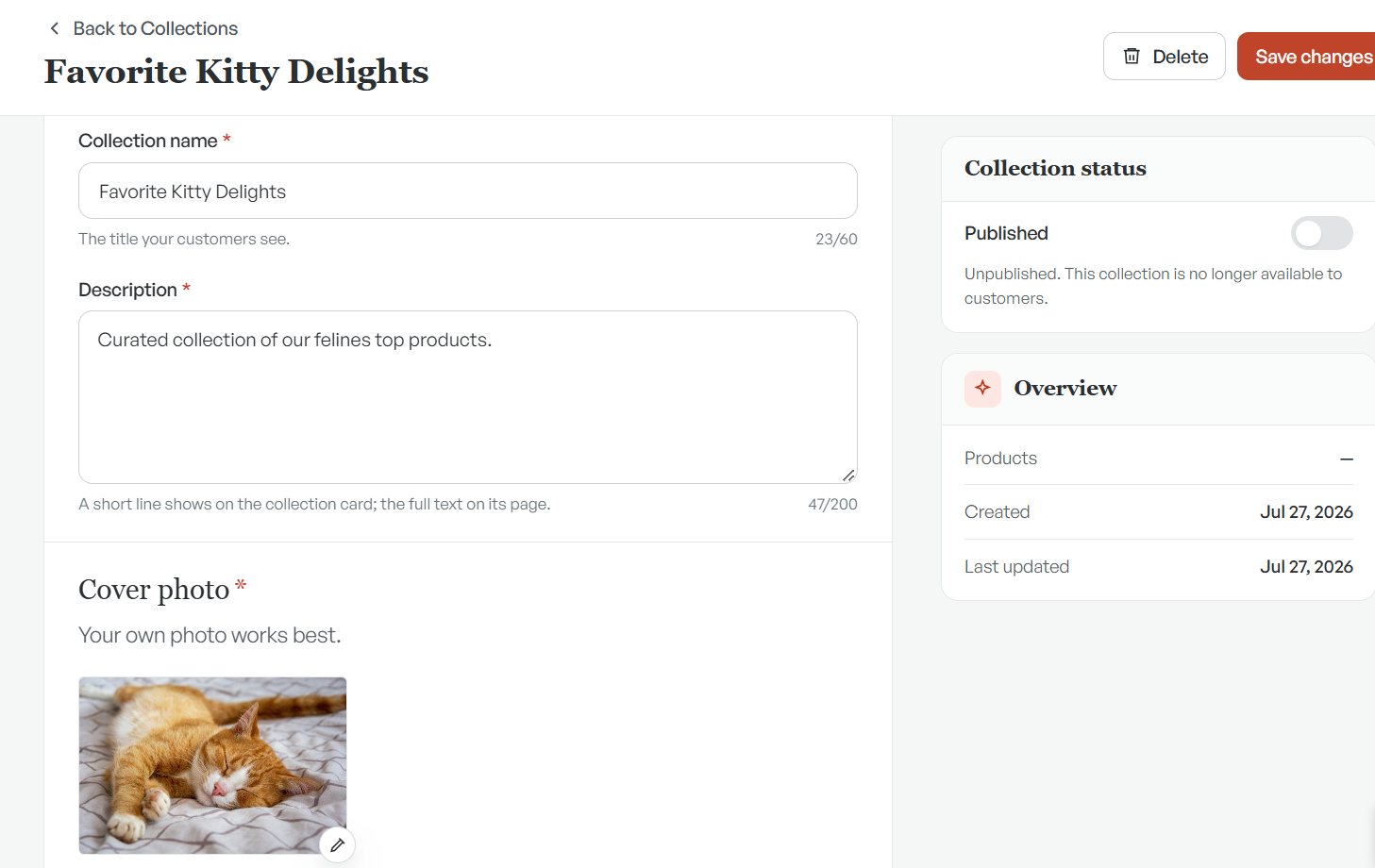
Add a short description: a short line shows on the collection card, and the full text on the collection's page. Then add a cover photo. The editor's own advice is the right one: your own photo works best.
Add your products, then publish
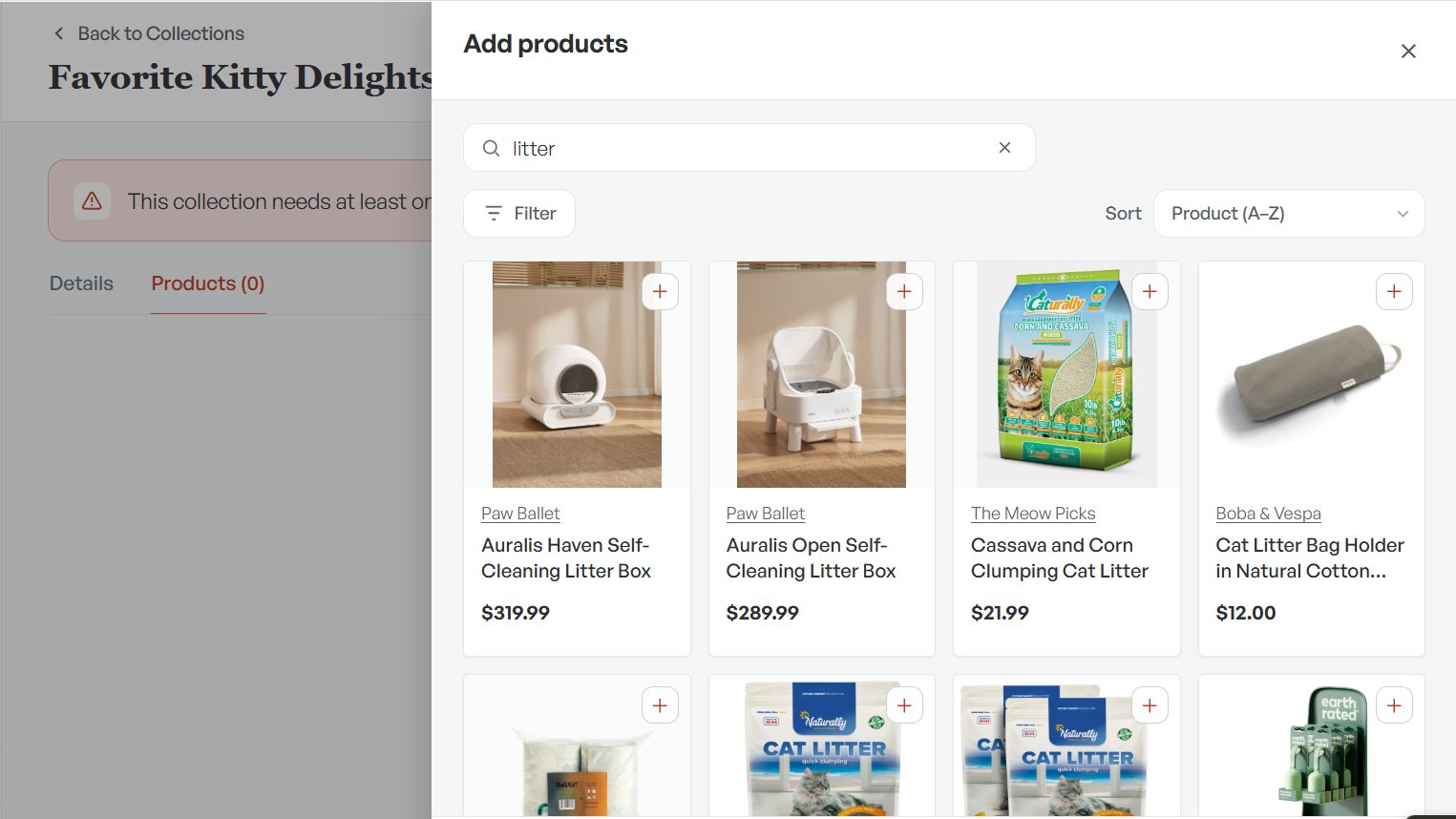
Open the Products tab and select Add products. Search the catalog or use Filter, and tap the plus on each product you want. A collection needs at least one product before it can go live.
When the list looks right, switch Collection status to Published and select Save changes.
Feature it on your homepage
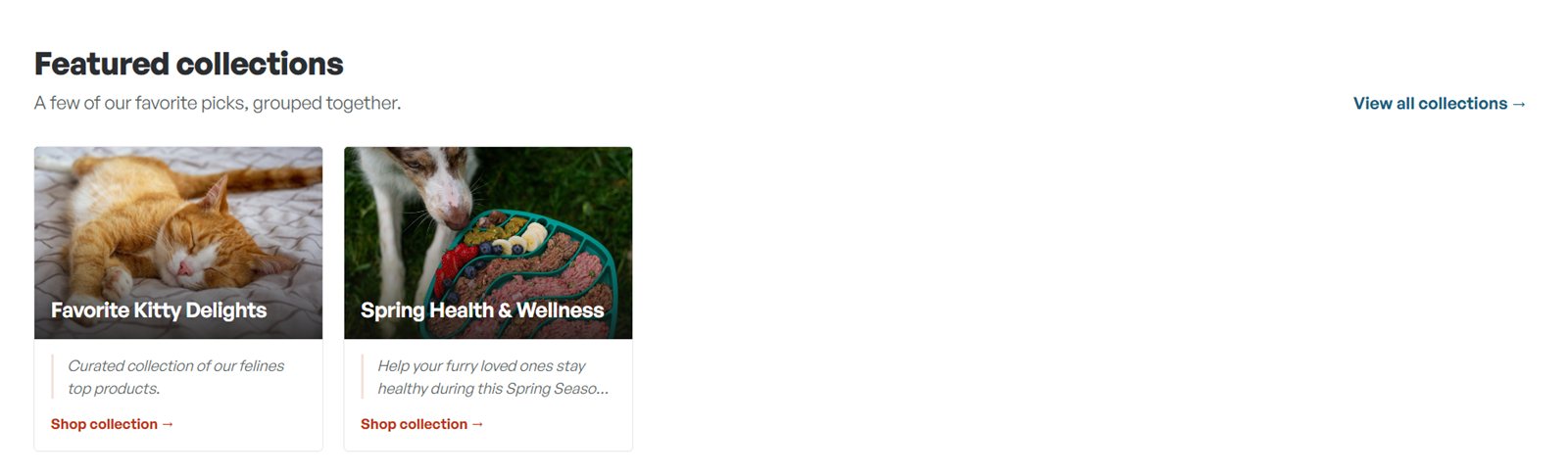
You choose which collections appear under Featured collections on your storefront homepage. In your store designer, add the ones you want clients to see first. Each shows its cover photo, name, description and a Shop collection link, and clients can select View all collections to see more.
FAQ
How many products should a first collection have?
Five to ten is a good start. It's easy to scan on a phone, and you can add more anytime.
Can I have more than one collection?
Yes. Your Collections page lists every one you build, and you can publish or unpublish each one on its own.
Who sets the prices in a collection?
The brand. Storefronts show each brand's published retail price.
What if a product I recommend isn't on ShopDot?
Email the team. They contact the brand and work on bringing it on, and an introduction from you can speed that up.
Your next recommendation can live in a collection
Log in, open Collections, and build one this week. For the bigger picture, here's how pet pros earn from the products they recommend.
Log in to build a collection